Privacy-First Analytics for WordPress, in One Click
Connect your WordPress site to managed Umami analytics without pasting scripts or editing themes. Install the UmamiEngine plugin, approve access, and tracking configures itself — cookie-free, lightweight, and maintenance-free.
Start Your 14-Day Free Trial- 14-day free
- No credit card
- Auto-cancels
14-day free trial · No credit card required. Only $5/mo after, use code FIRST100 at checkout for 50% off your first month ($2.50). Cancel anytime.
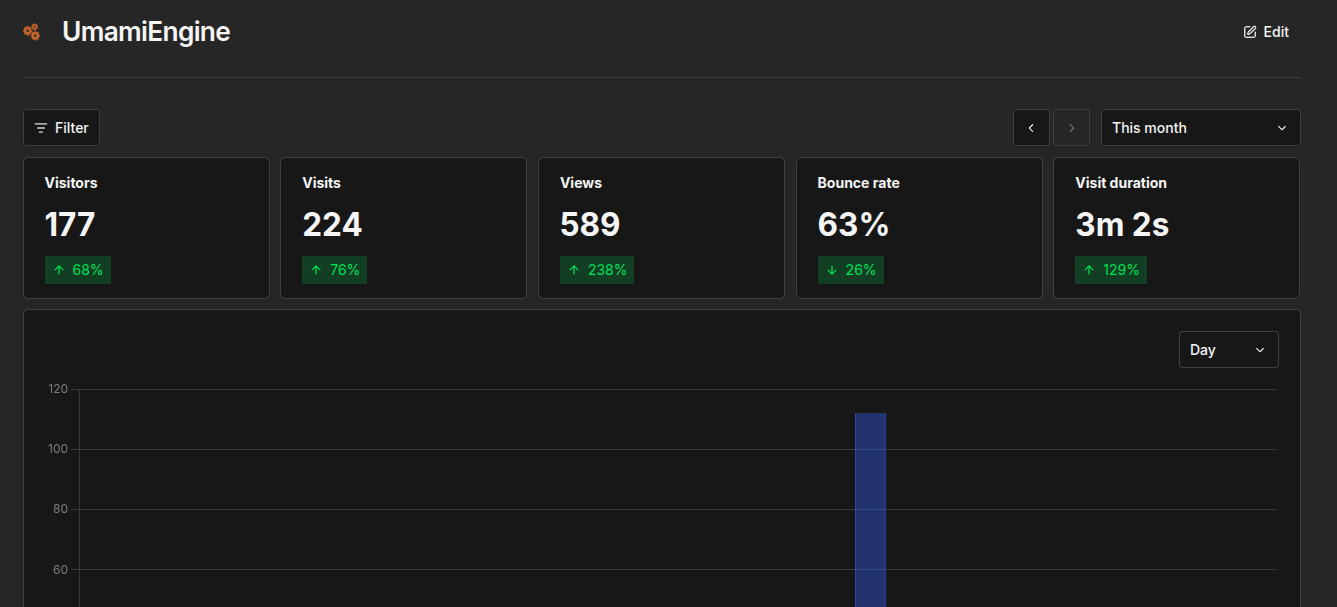
No pasted scripts, no IDs, no theme edits — connect from Settings → UmamiEngine
How It Works
From plugin install to live analytics in minutes. No tracking code to copy, no theme files to touch.
- 1. Install & activateUpload the UmamiEngine Analytics plugin and activate it
- 2. Start trial or connectGo to Settings → UmamiEngine, start your free trial or approve access
- 3. Tracking runs itselfConfig auto-saves; click Open analytics to see stats in the app
New to UmamiEngine?
Click Start free trial right inside Settings → UmamiEngine. Your account is created with 14 days free and no credit card, then one-click connect finishes the setup.
Already have an account?
Click Connect UmamiEngine and approve access. The plugin saves your tracking configuration automatically — done, tracking starts immediately.
Have your own Umami server?
Choose Existing Umami mode and enter your Umami URL and website ID instead. No UmamiEngine account needed. Prefer the manual route? See how to add Umami to WordPress with WPCode or a child theme.
Running a store? Enable the optional WooCommerce integration for product views, add-to-cart, begin-checkout, and purchase events. Disconnecting revokes access and stops tracking; your website and historical data are preserved.
Analytics Built Around WordPress
One-Click Connect
Approve access in your UmamiEngine account and tracking configures itself. No pasted scripts, no website IDs to copy, no credentials to manage, no theme-file editing.
Automatic Tracking, Admins Excluded
The plugin injects a lightweight async tracker on every page. Logged-in administrators are excluded from tracking by default, so your own edits never pollute your stats.
WooCommerce Events
Optional store tracking: product views, add-to-cart actions, begin-checkout steps, and purchases — then build funnels to see exactly where shoppers drop off.
Cookie-Free & Consent-Friendly
No cookies and no personal data collection. The umami_engine_tracking_enabled filter lets consent plugins suppress tracking when needed. The plugin never sends customer email, name, address, phone, or payment information.
Existing Umami (BYO) Mode
Already self-hosting Umami? Point the plugin at your own Umami URL and website ID. Full tracking and WooCommerce events without an UmamiEngine account.
No Maintenance
Fully managed hosting with automatic updates and backups. If analytics is unreachable, your site is unaffected — the plugin never makes blocking requests while rendering pages.
The plugin makes no legal compliance claims; review your own privacy obligations.
Simple, Transparent Pricing
What you pay
$5 / month
Start free: 14-day trial, no credit card required.
Then $5/mo, or $2.50 for your first month with code FIRST100 at checkout.
What you get
- Fully managed Umami analytics
- One-click WordPress plugin + WooCommerce events
- All Umami features included, no hard limits
- No maintenance or DevOps required
- Automatic updates and backups
Frequently Asked Questions
How do I connect WordPress to UmamiEngine?
Upload and activate the UmamiEngine Analytics plugin, then go to Settings → UmamiEngine. New here? Click Start free trial to create your account (14 days free, no credit card). Already have an account? Click Connect UmamiEngine and approve access. Tracking configures itself and starts automatically.
Do I need to paste tracking scripts into my theme?
No. The plugin configures tracking for you when you connect — no pasted scripts, IDs, or credentials, and no theme-file editing. Prefer the manual route? See our step-by-step guide to adding Umami to WordPress with WPCode or a child theme.
Can I track WooCommerce sales and funnels?
Yes. Enable the optional WooCommerce integration in the plugin to track product views, add-to-cart actions, begin-checkout steps, and purchases, then analyze them as funnels in your Umami dashboard to see where shoppers drop off.
Can I use the plugin with my existing self-hosted Umami?
Yes. Choose Existing Umami mode in the plugin settings and enter your Umami URL and website ID instead. No UmamiEngine account is needed in that mode.
What data does the plugin send?
Pageviews send the page URL, referrer, browser language, screen size, and device type — the same data the standard Umami tracker collects. WooCommerce events additionally send product IDs/SKUs, quantities, order values, and currency. The plugin never sends customer email, name, address, phone, or payment information. The plugin makes no legal compliance claims; review your own privacy obligations.
Will analytics slow down my site?
No. The tracking script loads asynchronously and the plugin never makes blocking API requests while rendering pages. If analytics is unreachable, your site is unaffected.
Do you offer a free trial?
Yes. Every new plan comes with a 14-day free trial — no credit card required to start — and you can start it straight from Settings → UmamiEngine in WordPress. Add a payment method from your dashboard before the trial ends to continue at the standard $5 per month; otherwise the trial cancels automatically. You may cancel at any time.
How do I use the FIRST100 discount?
Enter code FIRST100 in the promotion-code field at Stripe checkout. It takes 50% off your first paid month after the 14-day free trial ($2.50 instead of $5). The code is limited to the first 100 redemptions, first come, first served.
Ready to See What Your Visitors Actually Do?
Get privacy-first analytics for your WordPress site in minutes, free for 14 days, no credit card required.
Then just $5/mo, or $2.50 for your first month with code FIRST100 at checkout. Cancel anytime.